3-4. Add recommended services
Recommended services are a curated collection of STAC catalogues and WMS / WMTS endpoints that are commonly useful across GE configurations. These are added directly to your configuration, replicating the same step you took when adding the WMS service in Tutorial 3-3.
- Move to the Services tab.
- Select Add recommended services.
- You will see a list of services added — including the STAC service for the Project Results Repository (PRR) and several WMS / WMTS services.
- You can choose which services you want to add. Make sure the PRR is one of them. You will now see a list of cards for the services you have configured.
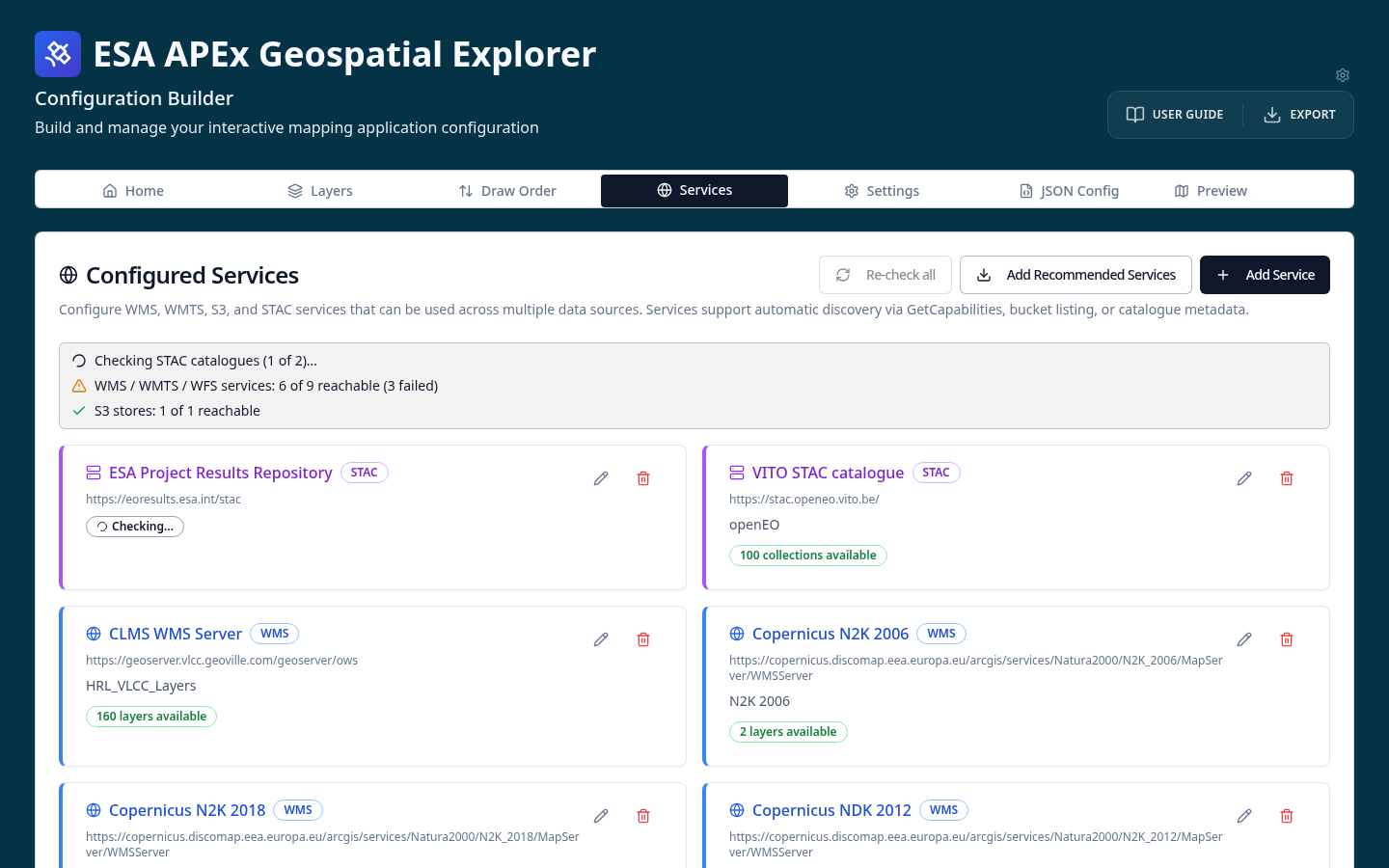
Once a service is registered, you can pick data from it when adding datasets to a layer card via the From service flow.
See Recommended services and Adding services for details.