GE Preview
The Preview tab (rendered as GE Preview in the navigation) runs the actual APEx Geospatial Explorer inline using your current configuration. It is the fastest way to confirm a layer renders, a colormap looks right, or the layer panel reads sensibly before you ship a config.
Follow along
Screenshots on this page were taken with the Comprehensive demo config loaded.
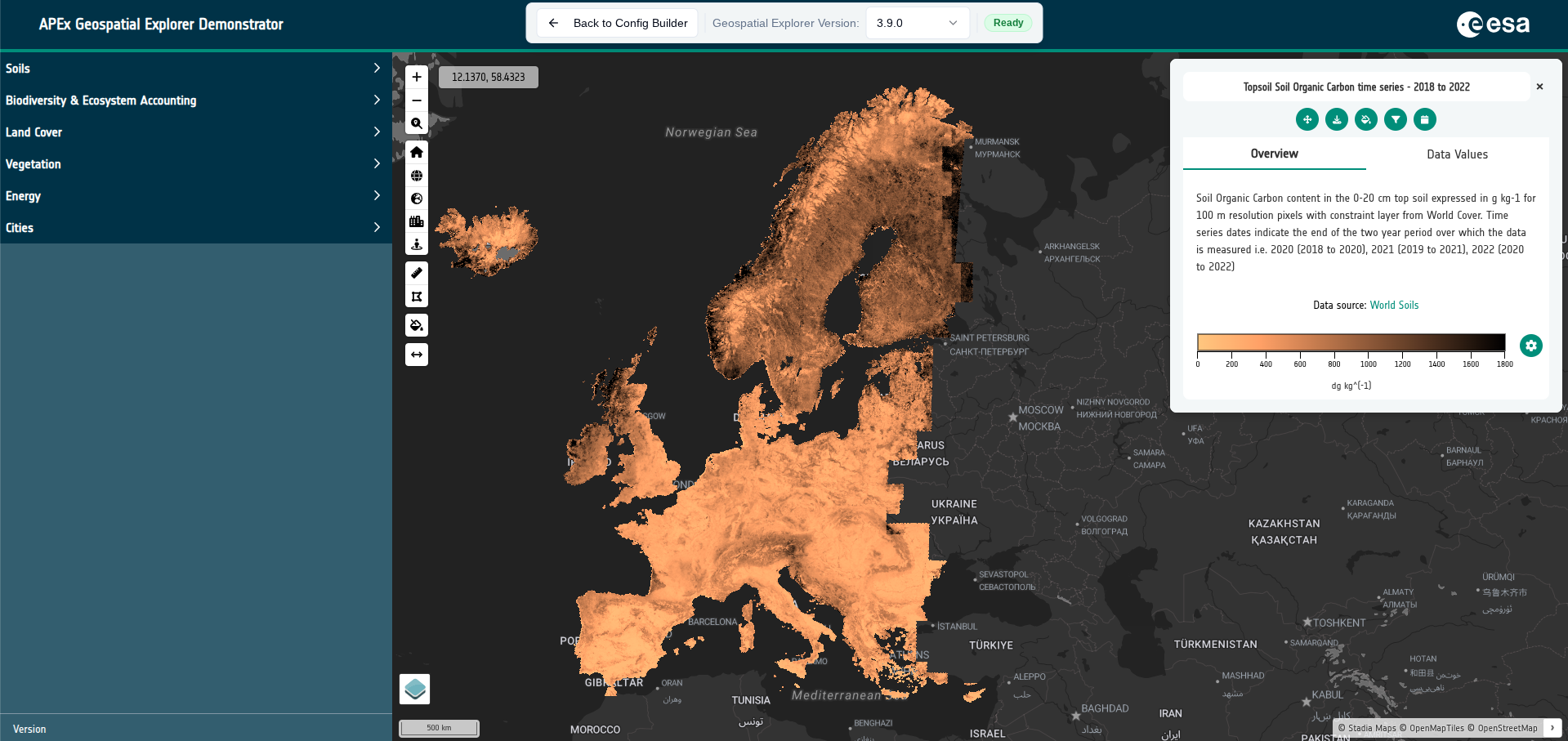
Opening GE Preview
Click the Preview tab in the top navigation. Two preconditions:
- No unsaved form changes. If a layer or service editor is open with unsaved edits, the tab is disabled and a tooltip explains what to save or cancel first.
- A reachable APEx Geospatial Explorer bundle. The builder lists the bundles available from the configured S3 location. If the list is empty you will see an explanatory error.
What loads
GE Preview loads your current in-memory config — the same one the Home tab shows statistics for — into a real instance of the APEx Geospatial Explorer running in an iframe. No file is written; nothing is uploaded; no export step is needed.
The fields passed to the deployed Explorer are:
version, layout, interfaceGroups, exclusivitySets, services,
sources, mapConstraints, projections.
Top bar
A floating toolbar sits at the top of the preview surface with:
- Back to Config Builder — returns to the previous tab (your scroll position and edit state are preserved).
- Geospatial Explorer Version — dropdown of available bundle versions. Switching versions reloads the iframe with the new bundle. Your choice is remembered for next session.
- Loading / Ready badges — show the bundle status.
- Retry — appears if loading failed; re-attempts with the same version.
Version updates
When you open the tab and a newer bundle version is available than the one you last used, an alert offers two choices:
- Update to <new version> — switches to the latest and remembers the choice.
- Stay on <current version> — keeps your pinned version. The alert is suppressed for the rest of the session.
This lets QA work continue against a known version while letting other authors pick up new releases automatically.
Limitations
- GE Preview is a runtime view, not an editor — to change anything, use Back to Config Builder.
- Network-dependent layers (WMS, WMTS, COG, S3) are fetched live; if your network or the upstream service is down, those layers will fail to render even though the config is valid.
- Some bundle versions may not support the newest configuration fields. Switching to the latest version usually resolves "feature not available" warnings.
When to use GE Preview vs. healthcheck
- Use Run Healthcheck for a structured pass/fail report across every URL.
- Use GE Preview when you want to see the result — colour ramps, legend layout, swipe behaviour, basemap interaction.
A typical loop is edit → save → GE Preview → back → edit → run healthcheck → export.