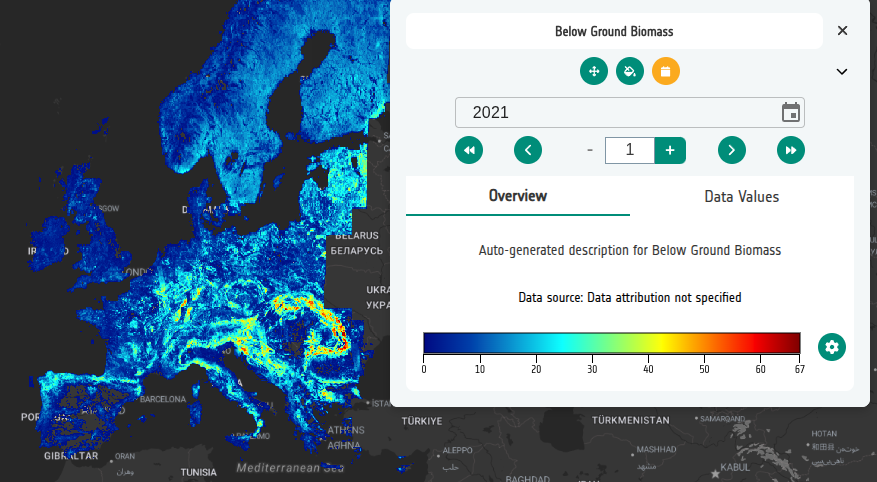
6-4. Using STAC timestamps
STAC items carry timestamps on the items themselves. When you pull assets from a STAC browser the CB copies those timestamps onto the resulting datasets.
- Return to your Below Ground Biomass layer (BGB). If you do not have one, create a new layer with this name first.
- On the Datasets tab, delete the existing COG so the layer starts empty.
- Go to the Controls section and add Temporal Control → Years. This must be configured before adding the datasets, otherwise the timestamps from the STAC items will not be available in the layer.
- Select + Add dataset → From service → PRR and find the BGB collection. Note that each item carries its own date stamp.
- Add all the BGB assets to the layer. Back on the layer card each dataset should now show the timestamp taken from its STAC item.
-
Click Preview. The BGB layer should now display a temporal control with Years, allowing you to step through the imported STAC timestamps.